Built for service businesses

Take Bookings. Secure Deposits. Remind Clients.

Qwickly helps service businesses manage bookings, clients, staff, services, payments, WhatsApp reminders, campaigns, and AI-assisted booking admin from one calm workspace.
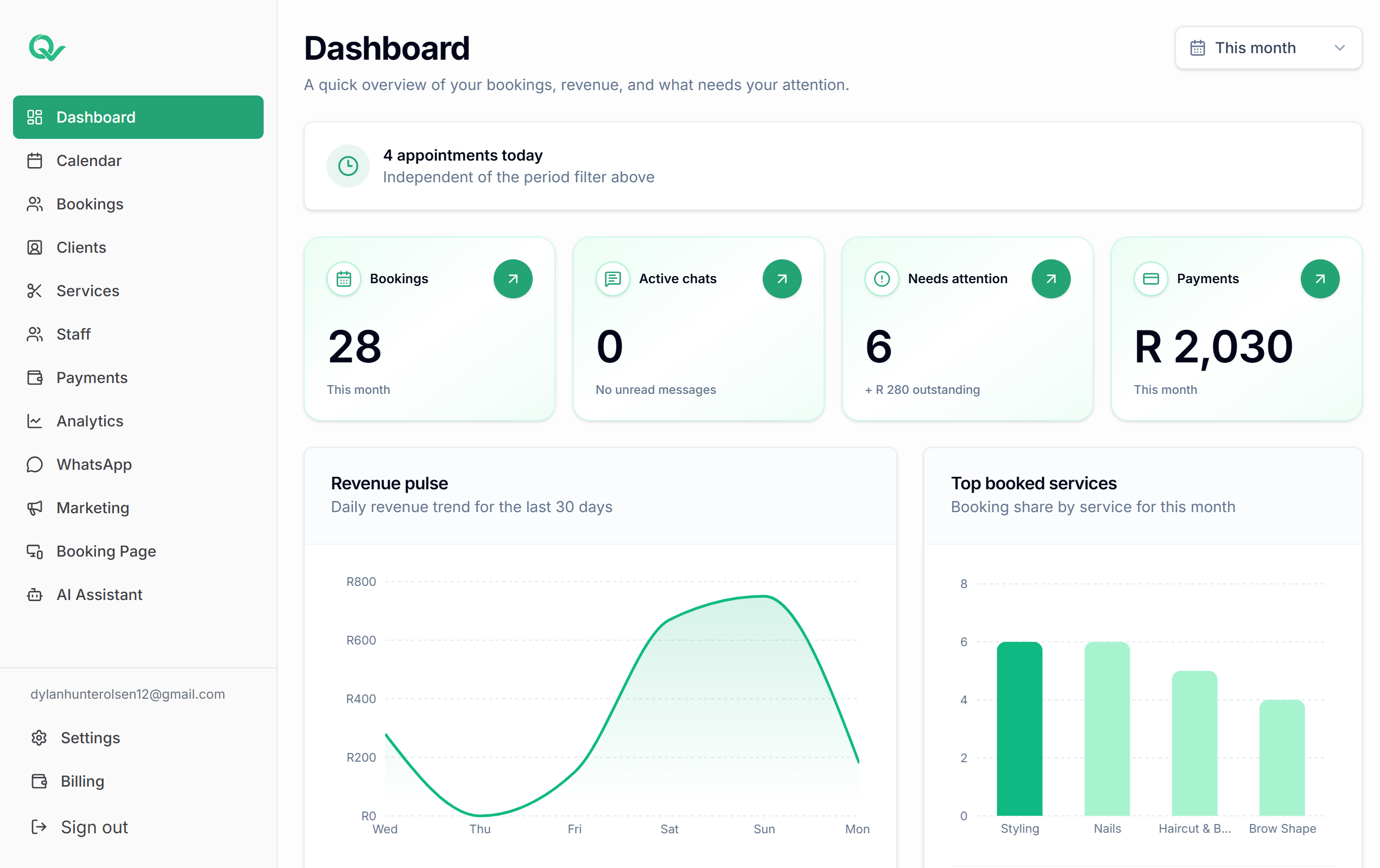
Qwickly dashboard overview
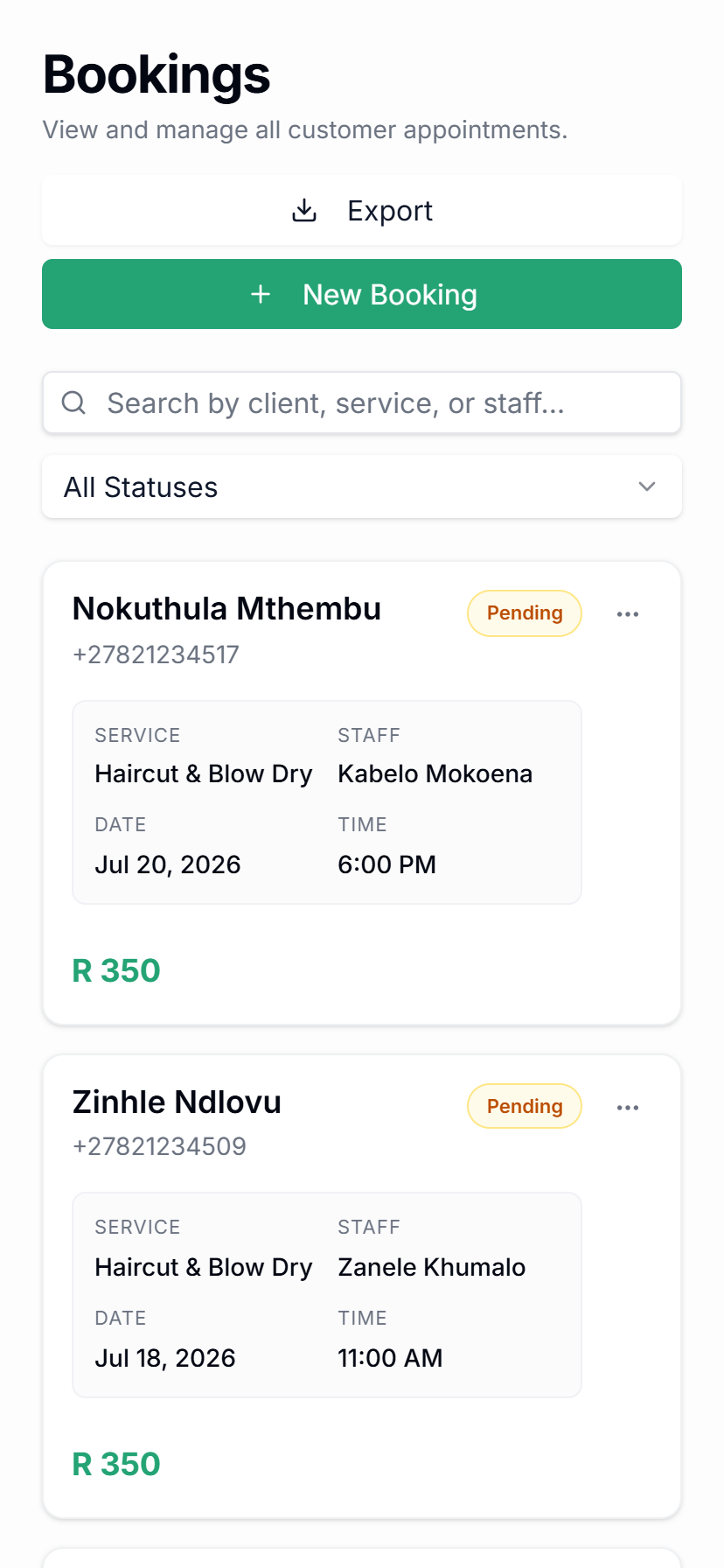
Qwickly bookings on mobile
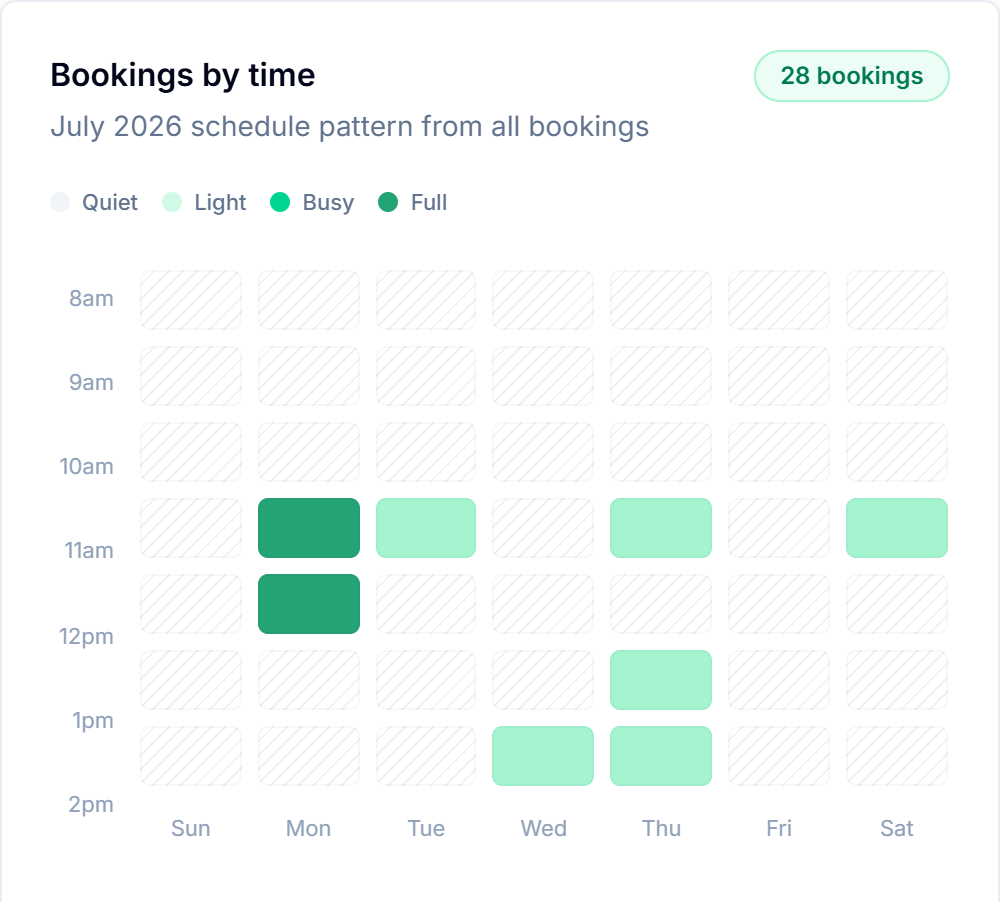
Bookings by time
WhatsApp reminder sent Tomorrow 09:00 with Aisha
Campaign draft Fill quiet Friday slots with a targeted WhatsApp offer.
10k+
Bookings managed
4.8h
Admin time saved weekly
92%
Reminder delivery rate
99.9%
Platform uptime
Platform

Everything your service business runs on, connected.

Qwickly is not just a booking page. It brings your day-to-day booking operations, client records, WhatsApp communication, and marketing into one practical workspace.

Know exactly what is booked, paid, and next.

Run availability, cancellations, reschedules, deposits, and booking status from one clean calendar view.

Keep the client context your team usually loses.

Profiles, visit history, preferences, notes, and rebooking context stay connected to every appointment.

Shape Qwickly around how your business actually works.

Manage service menus, durations, prices, deposits, staff assignments, working days, and booking rules.

Use WhatsApp for reminders, replies, and campaigns.

Send confirmations, reminders, client messages, targeted campaigns, and AI-assisted drafts from the same platform.

Why Qwickly

A calmer way to run your service business.

Qwickly keeps the daily work connected, so your team can move from booking to payment to WhatsApp follow-up without jumping between disconnected tools.
01 Bookings, clients, and staff stay connected
See availability, service rules, assigned staff, client history, and booking status together instead of rebuilding context every time a client messages. Explore features
02 WhatsApp is part of the workflow
Send confirmations, reminders, follow-ups, and practical client messages from the same platform that already knows the booking. View online booking
03 Campaigns use real client context
Build targeted WhatsApp campaigns from client and booking activity, then track replies and booking interest without exporting lists. View campaigns
04 AI-assisted admin can stay in review mode
Qwickly can help understand booking intent, ask for missing details, and prepare replies while your team keeps control before sending. Explore WhatsApp AI
05 Build the plan around your workflow
Start with core booking tools and add payments, campaigns, automation, extra staff, or custom workflows as your business grows. Build your plan
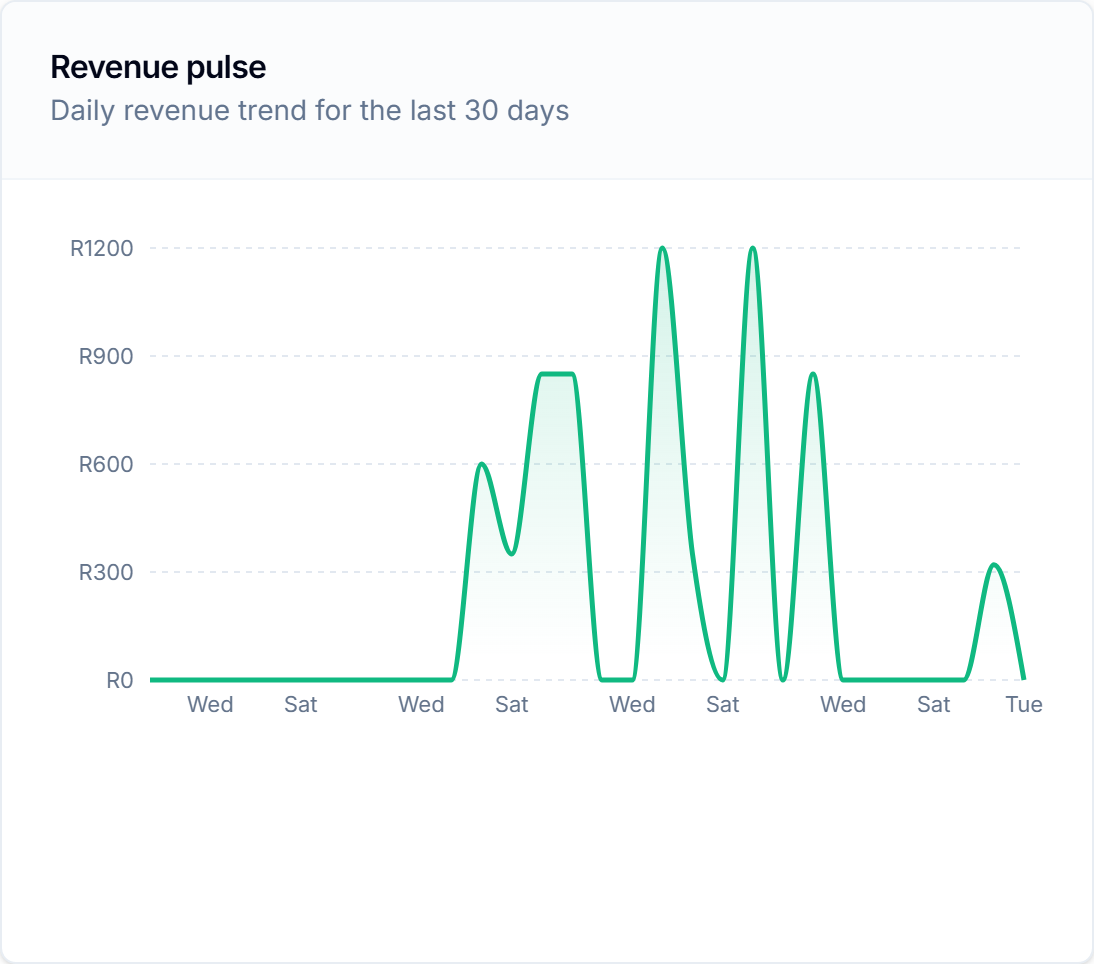
Revenue pulse chart
Deposits tracked R4,837 +18% this week
Workflow queue
3 booking requests
11 campaign replies
2 AI drafts for review
Bookings made 128 +24 this month
Pricing

Choose the tools your business needs.

Qwickly is designed around flexible plans for service businesses, from simple booking pages to WhatsApp automation, campaigns, deposits, staff tools, and custom workflows.

Flexible plans

Build your plan around your business.

Choose the booking, WhatsApp, campaign, payment, staff, and automation tools that fit how your business actually runs.

View pricing
Starter

For solo practitioners just getting started.

R ---/mo
Includes the booking basics
1 staff member
Up to 100 bookings/month
WhatsApp reminders
250 AI messages/month
Basic analytics
Booking page
Business

For multi-location businesses at scale.

R ---/mo
Everything in Pro, plus
Unlimited staff members
Unlimited bookings
Full AI bot suite
Unlimited AI messages
Full analytics plus exports
White-label booking page
API access
Dedicated account manager
How it works

Set up the business once. Let the routine work flow.

Three steps from an empty account to running your whole day inside Qwickly — no reconfiguring, no jumping between tools.

1
Step 01

Set up services, staff, and booking rules

Add your menu, durations, deposits, and staff schedules once. It becomes the operating layer behind every booking.

2
Step 02

Share a booking page, receive requests

Send clients a clean public link. They pick a service, staff member, and open time — the request lands straight in Qwickly.

3
Step 03

Run the day from one dashboard

Bookings, deposits, WhatsApp messages, reminders, and analytics stay together, so the whole day runs from a single view.

FAQ

Frequently asked questions.

Quick answers about bookings, WhatsApp, AI-assisted workflows, campaigns, payments, and flexible Qwickly plans.

Can Qwickly handle online bookings?
Yes. Qwickly gives service businesses a public booking page where clients can choose services, staff, dates, and available time slots.
Does Qwickly send WhatsApp reminders?
Yes. Qwickly supports WhatsApp reminders and confirmations so clients receive practical booking updates before their appointments.
Can I manage clients and staff?
Yes. You can manage client profiles, service history, staff schedules, services, durations, and booking rules from one workspace.
Does Qwickly support deposits?
Qwickly helps businesses track deposits and payment status so booking admin stays connected to the calendar and client record.
Can I send WhatsApp campaigns?
Yes. Campaigns help you message targeted client groups from the same platform that manages bookings, reminders, and client activity.
How does the AI-assisted WhatsApp booking work?
Qwickly can help understand booking intent, ask for missing details, prepare booking replies, and keep review mode available before messages are sent.
Are all automation features live?
Some features are still coming soon, including email campaigns, SMS campaigns, review requests, advanced campaign analytics, richer billing tools, and more AI automation flows.
Can I build a custom plan?
Yes. Qwickly is moving toward flexible plans so businesses can choose the booking, WhatsApp, campaign, staff, payment, and workflow tools they need.

You have different questions?

Tell us how your business works and we will help you find the right Qwickly setup.

Contact us
Ready for Qwickly

Ready to simplify your bookings?

Start with your booking page, then connect reminders, campaigns, AI-assisted admin, and the workflows your service business needs.

Qwickly dashboard overview
Qwickly bookings on mobile